


6.3.7 Executing a behaviour with flexBE
Course subject(s)
Module 6. Final
In the previous video you designed a FlexBE behavior. In this video we will show you how to execute it.
IMPORTANT NOTE:
If you are using the HRWROS Singularity image (the Course Command Shell) provided by the course, you will need to use the following steps for executing a behavior:
- Execute the command shown in the video but inside your CCS session:
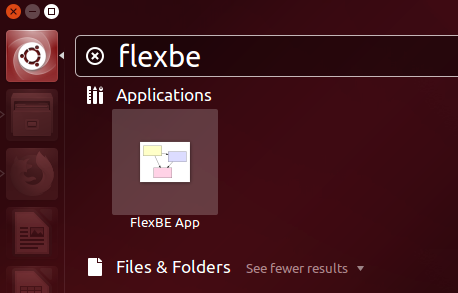
roslaunch flexbe_onboard behavior_testing.launch - and start the FlexBE App by clicking in the Ubuntu Dash icon and typing “flexbe” (without the quotes):
From the previous video’s you already know:
-
-
- How to define user data and behavior variables in a FlexBE behavior.
- How to configure the states in a FlexBE state machine, using the user data and behavior variables.
- How to connect all the states in your FlexBE state machine to implement the desired behavior.
-
In this video you learned:
-
-
- How to execute your FlexBE behavior using the Runtime Control view
- That launching your ROS application and the whole FlexBE behavior engine are required steps to execute a behavior.
- That with FlexBE you can easily integrate robot behaviors in ROS. Our demo behavior successfully coordinated the ROS nodes to pick a part in our factory!
-
In the next unit you will learn what to do when there is no FlexBE state implementation available for one of the actions required in our behavior.
NOTE:
After installing the Week 6 files, you can execute the “Pick part from conveyor” behavior by following the instructions presented in the video. Remember that the state machine of the behavior included in the files is slightly different from the one shown in the videos, but the resulting behavior in the factory is the same.

Hello (Real) World with ROS - Robot Operating System by TU Delft OpenCourseWare is licensed under a Creative Commons Attribution-NonCommercial-ShareAlike 4.0 International License.
Based on a work at https://online-learning.tudelft.nl/courses/hello-real-world-with-ros-robot-operating-systems//.