


1.2.4 Give it a try
Course subject(s)
Module 1. Scratch: Programming for Teachers
Ready for the challenge? Follow this link and have a look at what Scratch has to offer!
Scratch 2.0 and 3.0
As of upcoming January, Scratch 3.0 – the newest version – will be launched! This is great news, as there will be many cool new features.
For the moment, the beta version of Scratch 3.0 is available. This so you can already get an idea what the new look & feel of the newer version will be like. We decided to program in Scratch 3.0 when recording these video lectures, to make sure you will be able to work with this version.
This beta version doesn’t allow us to provide links to programs in Scratch 3.0, as in this beta version, no projects can be saved yet. This means that the links you will get, refer to version 2.0.
Workaround
There is a way to download the program we provide you via the link, and to upload this again in Scratch 3.0. To do this, you can follow the steps below:
1) Open the link we provide you (mostly before every first video lecture of a week)
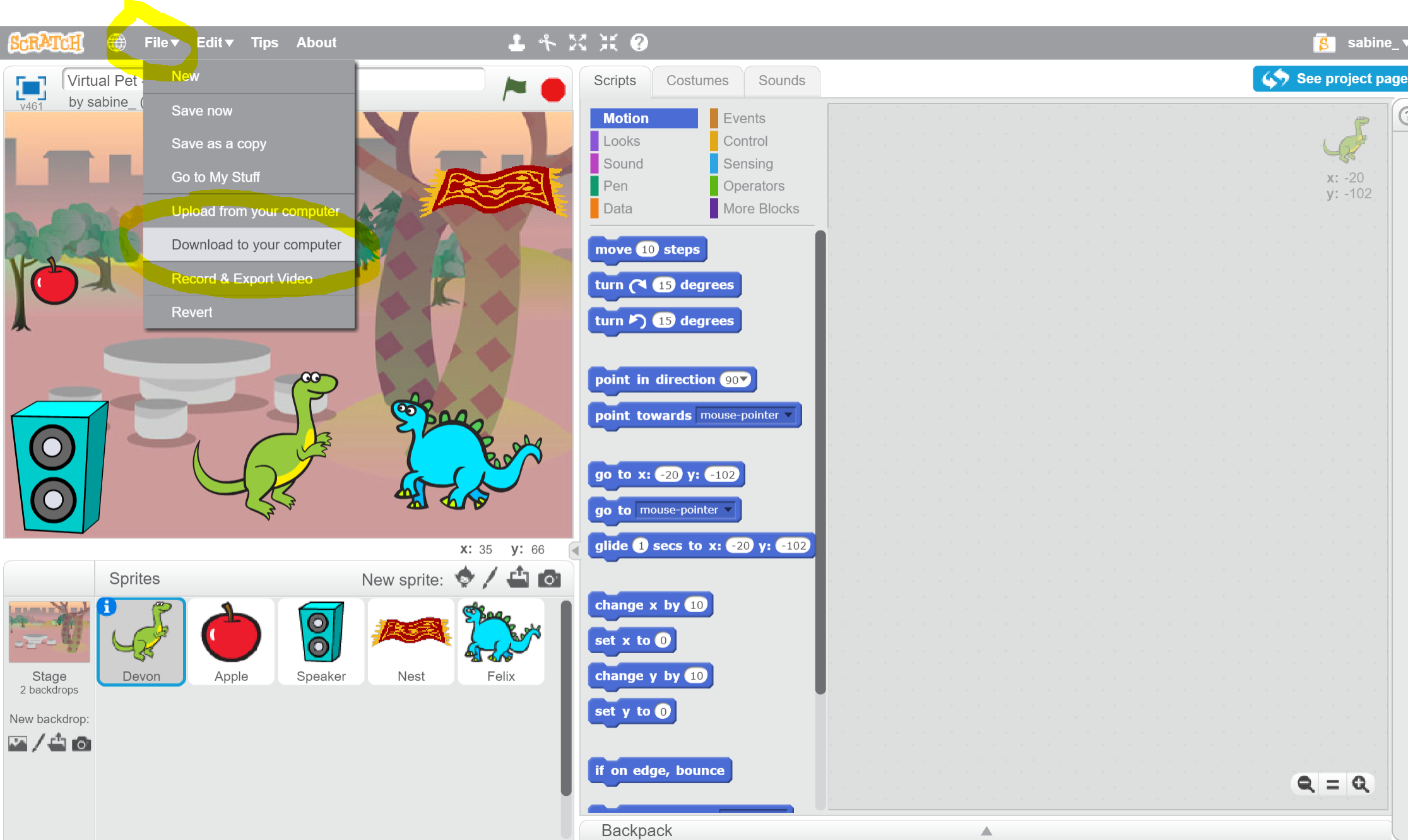
2) Click on “File” in your menu and choose for “Download to your computer”. Rename it if you want, and save it in a folder of your choice. See the image below:
3) Open Scratch 3.0 by clicking the “Try it button”.
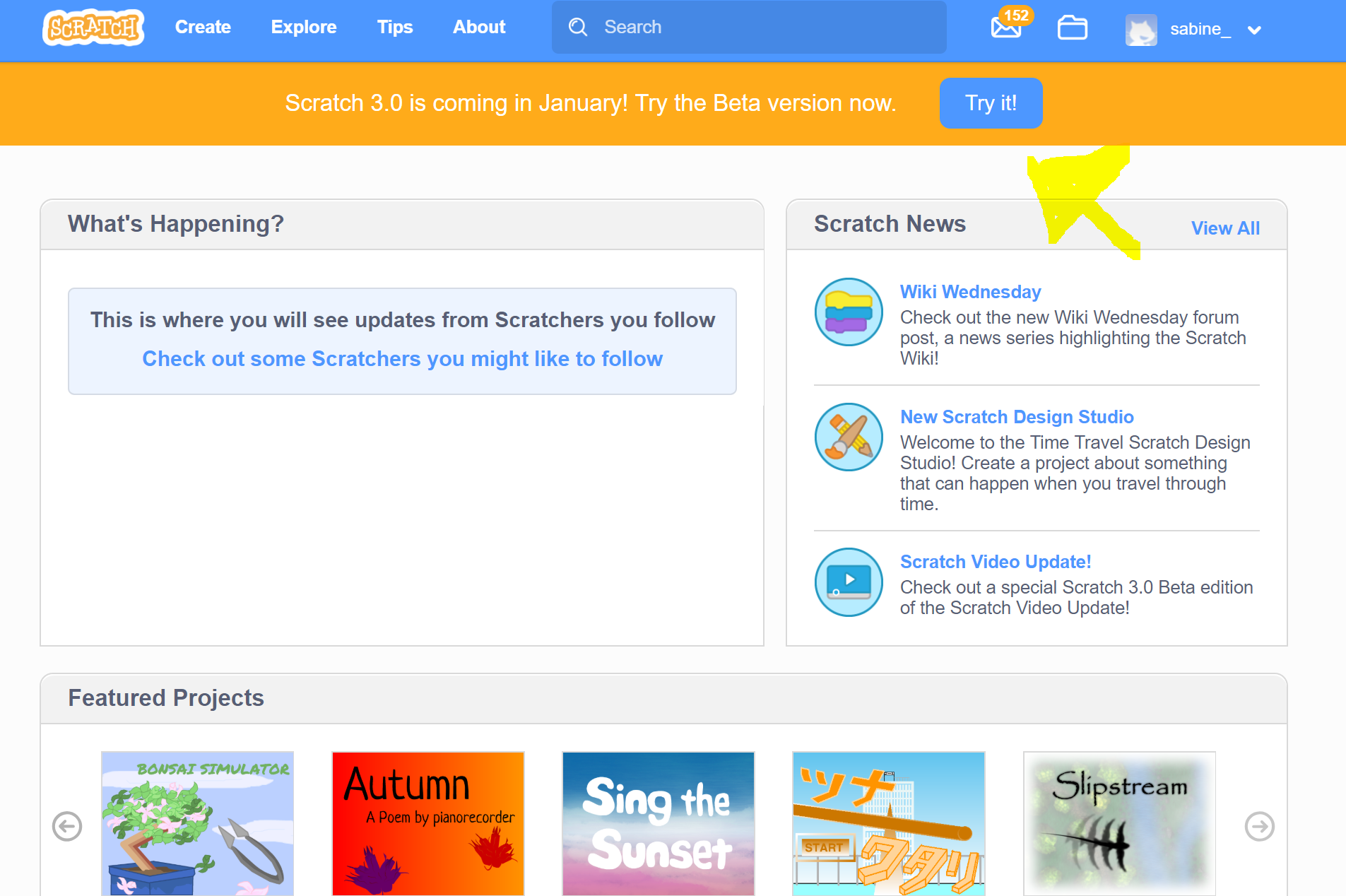
4) A new screen opens, click the “Try it now” button again.
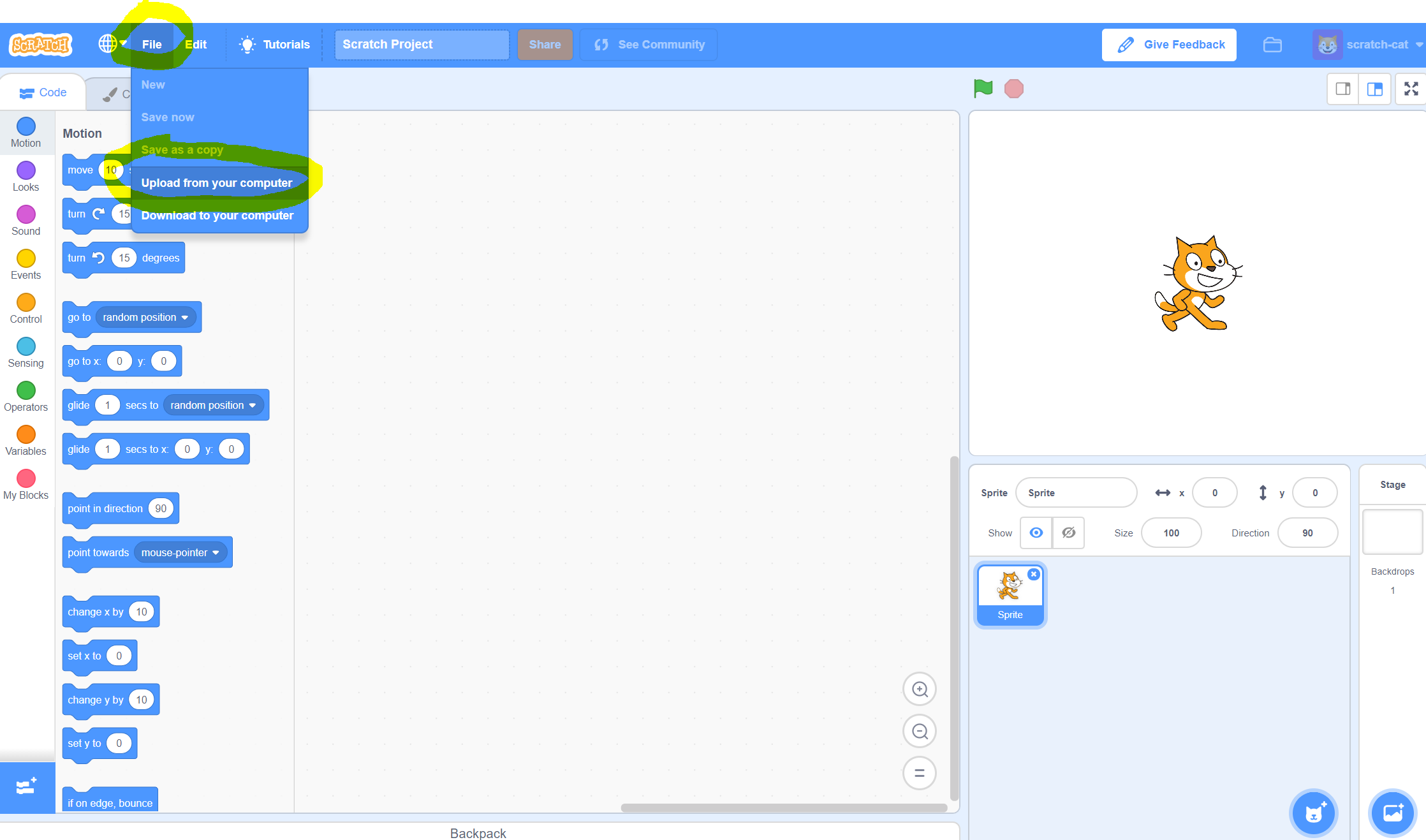
5) The new version opens. Click on “File” again and press “Upload from your computer”. See the image below where to find these buttons:
6) Go to the folder where you saved the project from version 2.0, and double-click it to upload
7) The program is loaded in the new version!
Remember to follow the same procedure to save this! If your program is ready, or you want to save it, download it from Scratch 3.0 on your computer and upload it again in Scratch 2.0, to save it properly in the Scratch environment and to add it to your own / our studio.

Scratch: Programming for Teachers by TU Delft OpenCourseWare is licensed under a Creative Commons Attribution-NonCommercial-ShareAlike 4.0 International License.
Based on a work at https://online-learning.tudelft.nl/courses/scratch-programming-for-teachers/.